
howto
Enable the Creo Schematics console
Show the Creo Schematics console window from Environment options so you can read CadActive and Creo messages.
The Creo Schematics console is a separate window that shows messages from Creo Schematics and from CadActive. Turn it on in Creo Schematics Options.
PTC documents these Environment options in To Set Work Environment Options (Creo Schematics 12.0 help).
Turn the console on
In Creo Schematics, open File → Options (the Creo Schematics Options dialog).
Select Environment in the left list.
Under Startup options, select Display console window.
Select OK.
If the console window does not appear, restart Creo Schematics.
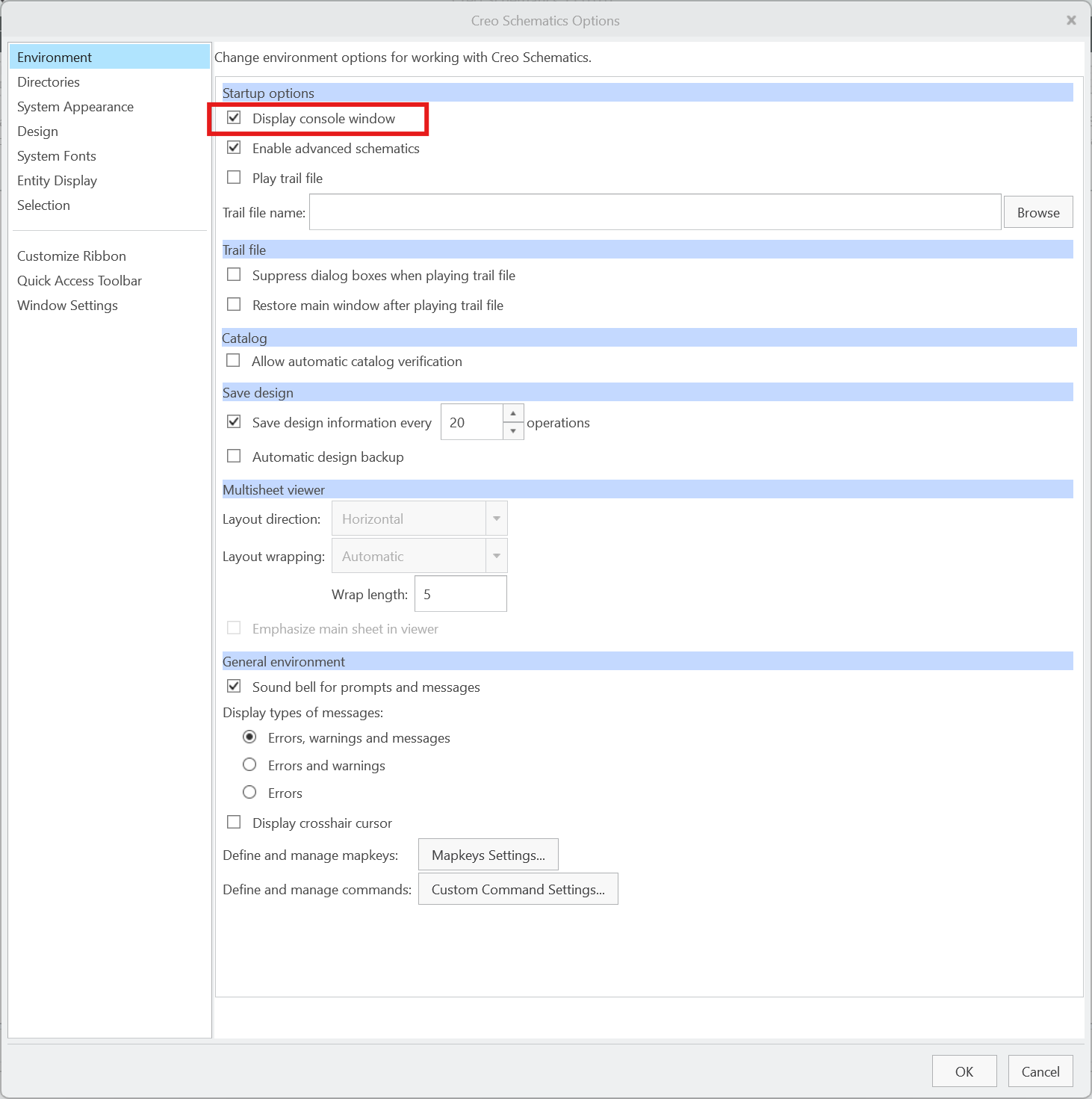
Display console window is a Creo Schematics setting, not a CadActive file. After it is on, CadActive messages can appear in that window.
To write extra CadActive detail to the console and to cadactive.log, also enable debug mode for Creo Schematics.